 In the following tutorial, you will learn how to create a 3D text effect in Adobe Illustrator using only a piece of text. For starters you will learn how to create a dark, textured background and how to easily center it. Moving on, using a simple piece of text, taking full advantage of the Appearance panel and cleverly adjusting some of Illustrator’s basic effects, you will learn how to create this bold, 3D text effect.
How To Create a 3D Text Effect in Adobe Illustrator
- Tutorials
- September 19th, 2013
- 16 Comments

 In the following tutorial, you will learn how to create a simple menu bar and a sleek web ribbon in Adobe Illustrator. For starters you’ll create pixel perfect shapes using the grid and Snap to Grid option. Next taking full advantage of the Appearance panel and using basic vector shape building techniques, you will learn how to add highlights and shading for your menu bar. Finally, using the Zig Zag, the Rounded Corners effects, a complex linear gradient plus some simple Pathfinder options, you will learn how to create the web ribbon.
 In the following tutorial, you will learn how to create a simple calendar icon in Adobe Illustrator. For starters, you will learn how to setup a simple grid, how to take full advantage of the Appearance panel and how to create a subtle texture. Next, you can learn how to use the basic Pathfinder options, how to easily align your shapes, how to cleverly use the Roughen effect and how to create a simple pattern. Finally, you will learn some basic masking techniques and how to wisely use the Transform effect.
 In the following tutorial you will learn how to create a simple ticket illustration in Adobe Illustrator. In the first steps you will learn how to set up a simple grid and how to create a pixel perfect ticket shape. Using this ticket shape you will learn some basic stuff about working with multiple fills, strokes and effects in the Appearance panel. Finally, you will learn how to add several pieces of text and how to easily multiply your ticket illustration.
 This post is part of a weekly series showcasing inspirational vector art. Although the series showcases vector art, some work might just be vector inspired, not created completely with vector art. If you have any art suggestions, feel free to comment!
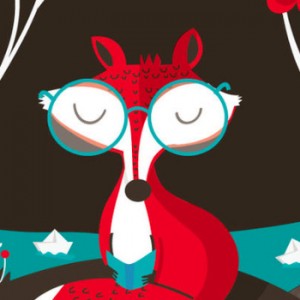
)