
 In the following tutorial you will learn how to create a neat toothpaste text effect in Adobe Illustrator using a pattern brush. For starters you will learn how to setup a simple grid and how to build pixel perfect vector shapes using basic tools and the Pathfinder panel. Moving on you will learn how to use a simple script and how to ease your work using the Shape Builder Tool. Next, you’ll learn how to easily and rename two simple patterns and how to create your own pattern brush. Finally, using your pattern brush along with some subtle Drop Shadow effects you will create your text effect.
Create a Toothpaste Text Effect in Adobe Illustrator!
- Tutorials
- February 5th, 2016
- 2 Comments

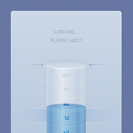 In the following tutorial you will learn how to create a detailed cylindrical loading bar vector in Adobe Illustrator. For starters you will learn how to setup a simple grid and how to create the stand using basic vector shape building techniques and some neat linear gradients. Using a complex linear gradient, blending techniques and some Drop Shadow effects you will learn how to create the cylinder. Moving on, taking full advantage of the Snap to Grid feature, you will learn how to create a pixel perfect text. Finally, you will learn learn some neat Stroke tricks and some basic masking techniques.


 In the following Halloween lantern vector tutorial you will learn how to create a paper bag lantern vector illustration in Adobe Illustrator. For starters you will learn how to set up a simple grid and create the main shape using basic vector shapes. You will learn how to add shading and highlights using the Pathfinder panel and some simple blending techniques. Using built-in brushes and raster effects along with some basic masking techniques, you will learn how to add subtle textures. Add some glowing spookiness and you’ll have the perfect Halloween lantern vector for the month of scares.
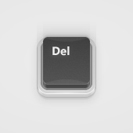 In the following tutorial you will learn how to create a 3D Button Vector in Adobe Illustrator using only one shape and the Appearance panel. So awesome! In the first steps you will learn how to set up a simple grid and how to create a rectangle. Using only this shape and the Appearance panel along with a bunch of fills, effects, and basic blending techniques, you will create your own 3D button vector.
 In the following tutorial you will learn how to create a simple ingot gold icon vector in Adobe Illustrator. In the first steps you will learn how to set up a simple grid and how to create a pixel perfect group of shapes. Using a basic 3D effect you will learn how to create the main ingot shapes. Finally, you will learn how to add color and subtle shading using basic blending and masking techniques, a bunch of linear gradients and the Appearance panel.
 In the following tutorial, you will learn how to create a simple diamond icon in Adobe Illustrator. Using thin strokes and basic stroke properties, you will learn how to add a subtle glowing effect for the edges of your diamond and then how to easily color or recolor your diamond icon.