
 In this tutorial we’ll be creating a simple mailbox icon in flat style, that can be used for your newsletter or website design. We’ll be modifying basic geometric shapes and using various handy functions of Adobe Illustrator. Let’s get started!
Continue reading
Tag Archives: illustrator tutorial
How to Design a Festive 2018 New Year Card
- Tips, Tips and Tricks, Tricks, Tutorials
- December 5th, 2017
- 3 Comments

 Let’s prepare for the celebration of the upcoming 2018 year and learn how to design a festive postcard that we can send to our friends and colleagues! We’ll be using simple shapes along with some fancy effects of Adobe Illustrator to create a festive look and add a glossy sparkling effect to the whole composition.
Let’s get started!
How to Create a Creepy Halloween Potion Vector Icon in 10 Easy Steps
- Tutorials
- October 17th, 2017
- 2 Comments

 Are you ready for Halloween? In this tutorial, we’ll be creating a creepy potion bottle with an eye floating inside! We’ll be transforming basic geometric shapes to create a simple yet balanced composition just in 10 steps. Let’s get started!
Continue reading
How to Make a Smiling Emoticon in Adobe Illustrator
- Tips, Tips and Tricks, Tricks, Tutorials
- July 11th, 2017
- 4 Comments

 Thanks to emoticons and emojis our communication on the internet has become more expressive and fun than just a boring text. Let’s follow this tutorial and create our own smiling emoticon, using simple geometric shapes, the Mesh Tool and Blending Modes to make it look dimensional and vivid!
Continue reading
Summer is So Close! Create a Paper-Cut Effect in Adobe Illustrator
- Tips and Tricks
- May 25th, 2017
- 2 Comments

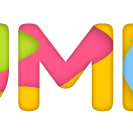
In this tutorial we’ll be creating a simple paper-cut effect, using various stylizing effects, shadows, and simple shapes. Then we’ll learn to apply our paper-cut fill to letters, text or other shapes. Let’s get started!
Continue reading
How to Create a Polygonal Vector Mosaic That Will Wow Any Crowd
- Tutorials
- February 11th, 2014
- 36 Comments

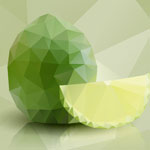
In today’s tutorial, we’ll learn how to create a polygonal vector mosaic from raster images with the help of a free Triangulator web-based tool and Adobe Illustrator. To strengthen the visual affect, we’ll also create a reflection with the help of the Opacity Mask and a dropping shadow by using the radiant gradient and the Transparency panel. Let’s begin!
How to Create Artwork in Op Art Style Using Adobe Illustrator
- Tips and Tricks, Tutorials
- January 7th, 2014
- 31 Comments

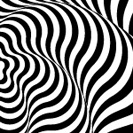
Today we will learn how to create an optical illusion by using simple geometric forms, the Blend Tool and Live Effects. You can receive many variants of such artwork by changing the parameters of the effects. It is much easier than it might seem at first glance. So let’s get started!