In toda y’s tutorial, we’re going to explore the process behind creating a video player icon, using some of Illustrator’s most basic tools and shapes.
So, assuming you already have the program running in the background, bring it up and let’s get started.







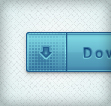 In the following tutorial you will learn how to create a set of download buttons in Adobe Illustrator. For starters you will learn how to set up a simple grid. Once your document is set up, you will create the main shapes using basic tools and effects along with some simple vector shape building techniques. Next, you will learn how to take full advantage of the Appearance panel, how to use a built-in pattern and how to edit a small piece of text. Finally, using basic blending techniques you will learn how to easily recolor your buttons.
 Welcome back to another Illustrator based tutorial, in which we’re going to learn how to create a flat lock icon, using nothing more than a couple of basic geometric shapes.