
 Let’s prepare for the celebration of the upcoming 2018 year and learn how to design a festive postcard that we can send to our friends and colleagues! We’ll be using simple shapes along with some fancy effects of Adobe Illustrator to create a festive look and add a glossy sparkling effect to the whole composition.
Let’s get started!





 Let’s have some fun with simple shapes and gradients to create a beautiful weather app icon!


 In the following tutorial, you will learn how to create a simple web ribbon vector in Adobe Illustrator. For starters you will learn how to set up a simple grid and how to create the main shapes using basic tools and vector shape building techniques. Next using subtle linear and radial gradients along with some simple blending techniques, you will learn how to add shading and highlights for your ribbon. Finally using some simple Warp effects, we’ll add a little dynamism for the final ribbon.
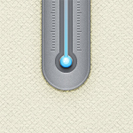 In the following tutorial, you will learn how to create a simple thermometer illustration in Adobe Illustrator. For starters you will learn how to set up a simple grid, how to create the pixel perfect main shape and how to add subtle shading. Next using basic blending and vector shape building techniques and taking full advantage of the Appearance panel, you will learn how to create the thermometer tube. Finally, you will learn how to create a simple grid using two tiny paths and a bunch of Transform effects.